
Deskew
Automatically straighten and deskew scanned PDF pages.
or drop a PDF here
No file selected
Files stay private. Automatically deleted after 2 hours.
Step by step
How To Deskew a PDF
Straighten crooked scans — let Deskew detect the skew itself, or dial each page level by hand while the content tilts live in the preview.
-
1
Upload your PDF
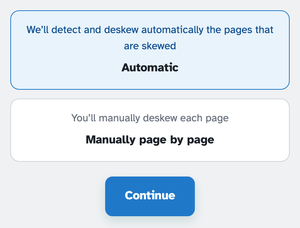
Drop in a document and choose how to fix it: Automatic detects and straightens every skewed page on its own, or Manually page by page walks you through one sheet at a time.
-
2
Straighten automatically
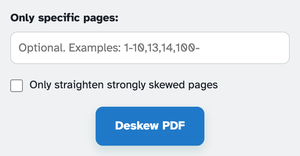
Pick Automatic and press Deskew PDF — every tilted page is measured from its own ink and squared up, so scans and photographed pages both work. Narrow the run first if you like: Only specific pages takes ranges like 1-10,13, and Only straighten strongly skewed pages leaves a gentle lean alone.
-
3
Or straighten page by page
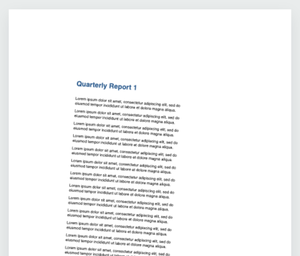
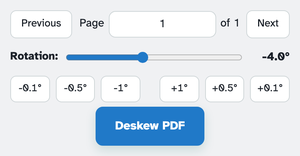
Manual mode shows each page leaning on the sheet — drag the Rotation dial (−30° to 30°) or tap the fine ±0.1°, ±0.5°, ±1° buttons until the text sits level. The content tilts live as you dial while the sheet itself never spins, and Previous/Next walks the document; every angle you set is straightened in one pass.
-
Automatic detection
Skew is measured from the ink itself — scans and photos of pages both work.
-
Fine rotation dial
−30° to 30° on the slider, plus ±0.1°, ±0.5° and ±1° buttons for the last hair.
-
Live tilt preview
The content leans as you dial — the sheet never spins, so you judge the text itself.
-
Pages or everything
Take ranges like 1-10,13, or leave the box empty for the whole document.
-
Strong skew only
One tick skips pages that only lean a touch — file-photo wobble stays.
-
Private by default
No account, no watermark — and every file is automatically deleted after 2 hours.
Selected: