
Split by size
Get multiple smaller documents with specific file sizes.
Set the maximum size per file — we split the pages into as few parts as possible.
Files stay private. Automatically deleted after 2 hours.
Step by step
How To Split a PDF by Size
Get several smaller PDFs with a maximum file size you choose — as few parts as the pages allow.
-
1
Upload your PDF
Drop the document in — it shows as the selected file with a Remove button beside it, and the options appear underneath. Files are deleted after 2 hours.
-
2
Set the size & the names
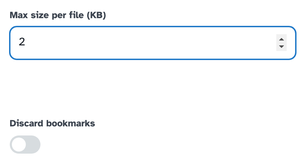
Max size per file (KB) is the whole game: our 4.5 KB test with a 2 KB limit came out as four parts. The File name pattern labels every part — [BASENAME]-[PART] by default — and Discard bookmarks drops the outline if you like.
![The File name pattern box holding [BASENAME]-[PART] above its explanation of the placeholders](/static/img/sbs-guide/pattern.png)
-
3
Split & download
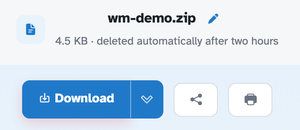
Press Split by size and the parts arrive together as a ZIP — wm-demo-1.pdf through wm-demo-4.pdf in our run, each one page and under the limit, with the page count kept across the whole set.
-
A size you name
Set the maximum in kilobytes; the splitter packs as few parts as possible.
-
One ZIP back
All the parts arrive together, named and numbered.
-
Pattern names
[BASENAME]-[PART] and friends label every part exactly as you like.
-
Bookmarks optional
Keep the document's outline, or discard it with the toggle.
-
Parts stay PDFs
Every part is a standard PDF with its pages unharmed.
-
Private by default
No account, no watermark — and every file is automatically deleted after 2 hours.