
HTML to PDF
Convert web pages or HTML files to PDF documents
Paste HTML markup or give a web address to convert into PDF.
Add multiple URLs, one per line.
Selected:
or drop an HTML file here
No file selected
Files stay private. Automatically deleted after 2 hours.
Free service for 20 links per task and 3 tasks per hour.
PRO service for up to 100 links per task.
Step by step
How To Convert HTML to PDF
Save a web page or your own markup as a PDF — one URL, an uploaded file, or pasted code.
-
1
Choose your input
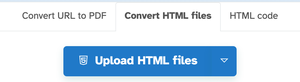
Three tabs cover every case: paste web addresses one per line, upload .html files from your computer or the cloud drives, or paste raw HTML code. Files are deleted after 2 hours.
-
2
Adjust & convert
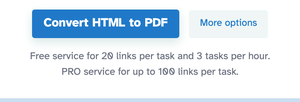
More options sets the page — One long page is the default, with A4, A3, Letter and friends as alternatives — plus orientation, margins in px/inch/cm/mm, the print stylesheet for fetched URLs and an optional URL + date stamp. Then press Convert HTML to PDF.
-
3
Download the PDF
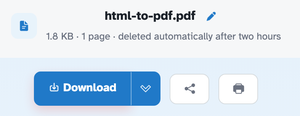
In our run the pasted code came back as html-to-pdf.pdf — one page with the heading as real, selectable text, Download one click away.
-
Three ways in
Web addresses one per line, .html uploads, or pasted HTML code.
-
URLs print like URLs
Fetched pages use their print stylesheet — screen-only bits drop out.
-
One long page or sheets
The default sheet runs the whole content height; A4 and friends break pages.
-
Margins & orientation
Adjust both — margins in pixels, inches, centimeters or millimeters.
-
URL and date stamp
Optionally stamp the address and today's date at the top of the PDF.
-
Private by default
No account, no watermark — and every file is automatically deleted after 2 hours.